
Plutio Timesheets
Easy time tracking and insightful timesheets
Keep track of time spent on projects and bill for your time with auto invoicing. Get valuable insights into workloads and budgets with intuitive timesheets.



Why Plutio Timesheets?
It only takes a second to start tracking your hours
Whether you're a business owner looking to increase your team's productivity or a freelancer needing to bill for your time, Plutio Timesheets makes time-tracking easy.
Simple
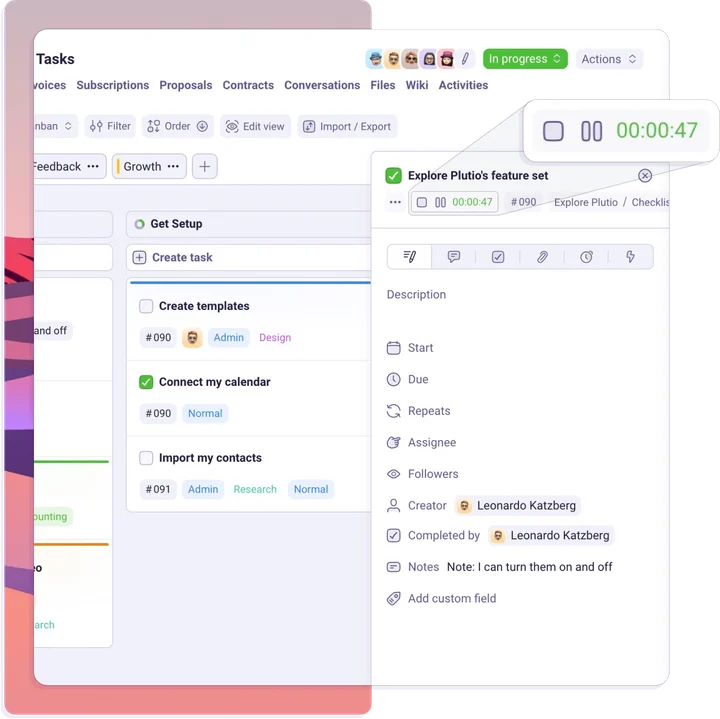
One click to start the timer and another to stop it, from anywhere.
Flexible
Group and sort time entires using custom fields and categories.
Insightful
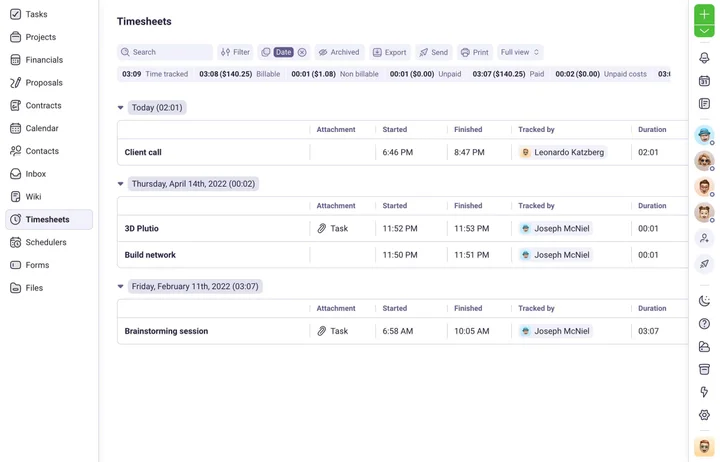
Know exactly how you spend your time with insightful timesheets.
Accessible
Start the timer from your browser, desktop app or mobile app.
Powerful
Track every billable hour and bill accurately
Plutio Timesheets make it easy for you to record your hours, get actionable insights, and generate invoices for your clients hassle free.
Project budgets
Set project budgets and track your billable time against them in real-time.
Bill your clients
Add billable time to your invoices or automatically generate invoices based on the time tracked.
Cost and profit
Compare the amount you bill clients to the amount you pay your team or contractors.
Reporting
Always stay on top of things with timesheets that are up-date in realtime
Collaborative
Manage your team's time in no time at all
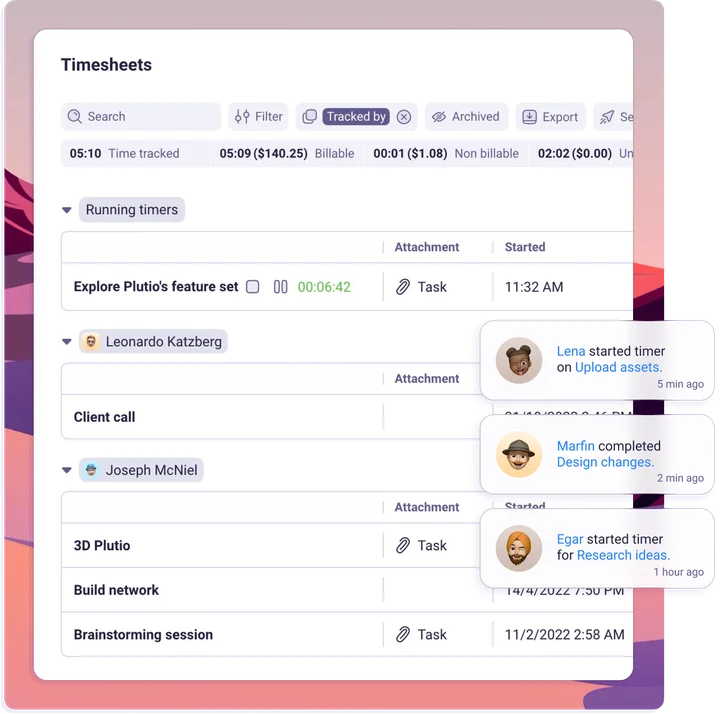
Manage multiple people's timesheets across multiple projects, clients, and tasks from one centralised timesheet.
Client portal
Eliminate the back and forth by inviting clients to view timesheets and track progress in real-time.
Team timesheets
View everyone's tracked time in one place. Group, sort and filter with ease to see exactly what you need.
Manage workloads
With real-time reporting you can plan and monitor everyone's workload from one place.
Reporting widgets
Create custom pages with interactive heat-maps, charts, graphs and more.
Intuitive
Powerful tools to make time tracking effortless
Plutio Timesheets make light work of heavy lifting. With power tools that make it easy to throw those old spreadsheets out and never look back.
Detailed reporting
Break down all your time entires by person or task to get a better understanding of the project.
Categorization
Create custom categories and tag time entires for a granular control and reporting.
Integrations
Use our API or connect with third party apps to sync data and automate your timesheets.
Manual logging
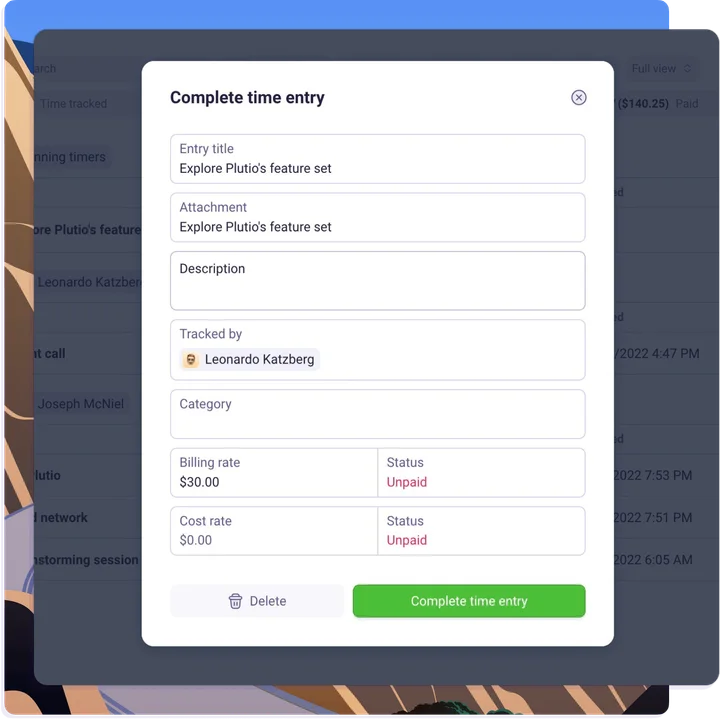
Missed tracking your time or worked offline? You can manually log your time at anytime.
Ready to start tracking time?
Plutio Timesheets comes with the suite
No credit card required

More features
Everything you need to manage time and boost productivity
Plutio Timesheets come packed with all the tools you need to track, manage and bill for your time with ease.
Instant time tracking
Quickly start the time tracker on current tasks or as creating a new task.
Bill for your time
Create invoices based on hours you've worked with the click of a button.
One-click exports
Easily download timesheets as a CSV file using the export feature.
Powerful insights
Total billable time, unpaid labor costs, total time tracked and more.
Integrations
Integrate Plutio Timesheets into any workflow with our powerful API.
Real-time stats
Full view on the time tracked and their billing status.
Loading products...
Frequently Asked Questions
What is a timesheet?
A timesheet is a list of hours tracked for a given employee, project, task, or client. They can be used for paychecks or billing clients.
Can I export timesheets to excel?
Yes. You can export your timesheets as an .CSV file at anytime. Import them into an excel-sheet, third party apps or simply store them locally as backup.
How long does Plutio keep timesheets?
There is no limit to the length of time that Plutio will store timesheets for you. They are there for as long as you need them.
How do I track time towards a specific project?
With Plutio you can easily track time on specific projects by starting the timer and selecting a project before, whilst or after tracking time.
How do I track time towards a specific task?
Track time on any task by clicking on the start timer button shown next to the task titles or simply start the timer from anywhere and select a task.
Can Plutio Timesheets connect to Quickbooks, Freshbooks, Xero or Wave?
Plutio's powerful API lets you connect Plutio Timesheets to almost any other app, including Quickbooks, Freshbooks, Xero, Wave and more.
