
Plutio Invoicing
There's a better way to get paid for your work
Put your payday on autopilot and focus on what you do best. Send branded invoices, know when they are opened and get paid through a variety of payment methods.


Why Plutio Invoicing?
Getting paid for your work should be a painless process
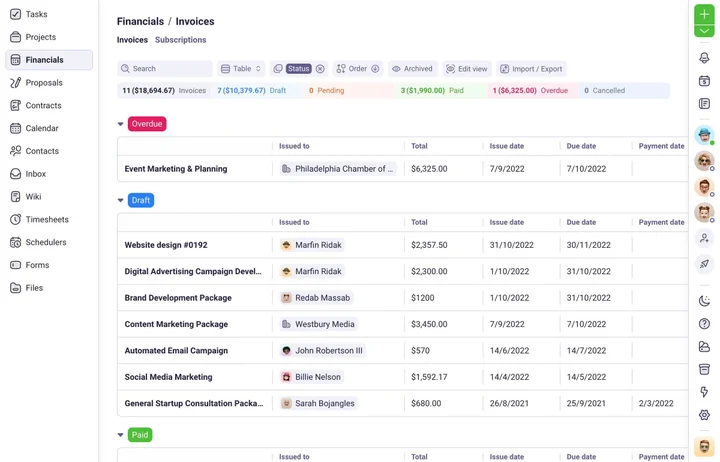
Getting paid should never be a stressful process, so we've created an invoicing system that's fast, easy, and doesn't cost a penny more than your payment processor charges.
Efficient
Send invoices in minutes, track when they are opened and receive notifications when they are paid.
Flexible
Supports multi-currencies, instalments, and a variety of payment methods.
Branded
Create fully responsive and branded invoices using our intuitive drag and drop editor.
Secure
Rest comfortably knowing your invoices are stored safely and accessible from anywhere.
Customizable
Let your personality shine
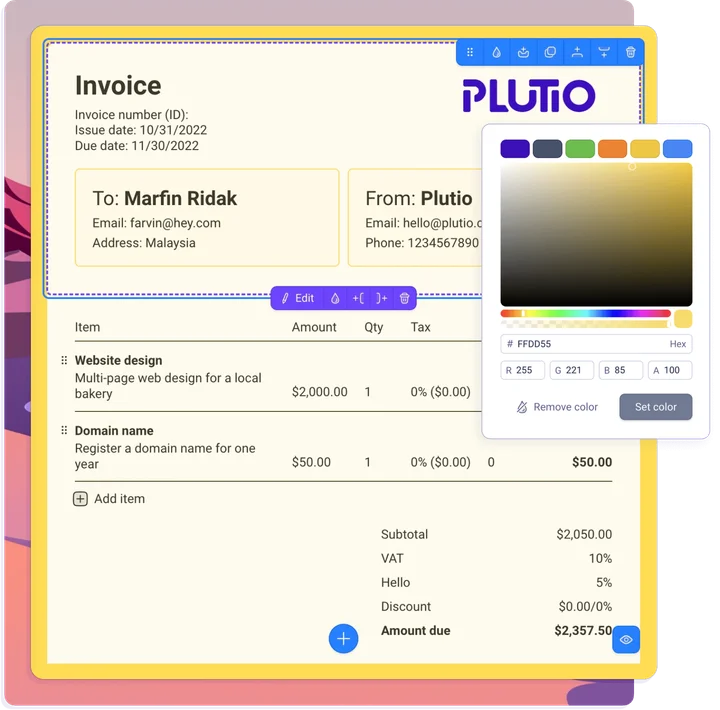
Create stunning, fully responsive and branded invoices using our drag and drop builder. Customise every aspect of your invoice so your clients get the full experience of working with you.
Show your logo
Easily insert your brand's logo anywhere on your invoices.
Set your colors
Adjust the colors of your invoice's background, text, buttons and more.
Custom styling
Take your designs to the next level with our advanced built-in CSS Stylesheet editor.
White-labeled
Connect your custom domain and completely remove Plutio branding from all your invoices.
Automated
Your income just got self-driving mode
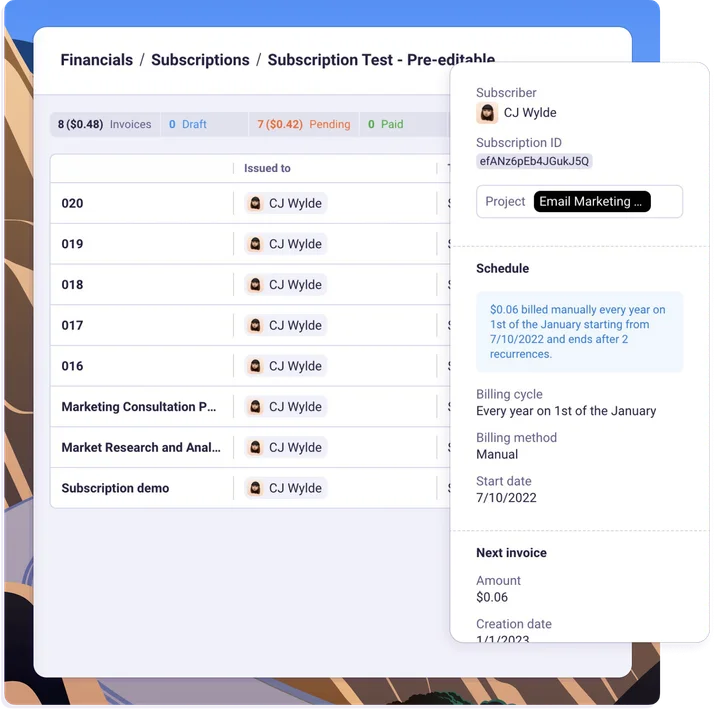
Focus on what you love instead of bill collection and data entry. From recurring billing options to instant notifications, you can sit back and relax knowing your payments are coming in.
Recurring billing
Create subscriptions and set it to auto-bill or simply auto-invoice.
Instant notifications
Receive real-time updates when your invoices are opened and paid.
Bill for your time
Effortlessly add your billable tracked time to your next invoice.
Invite clients
Offer your clients the option to login and view all their invoices.
Flexible
Advanced features available for all
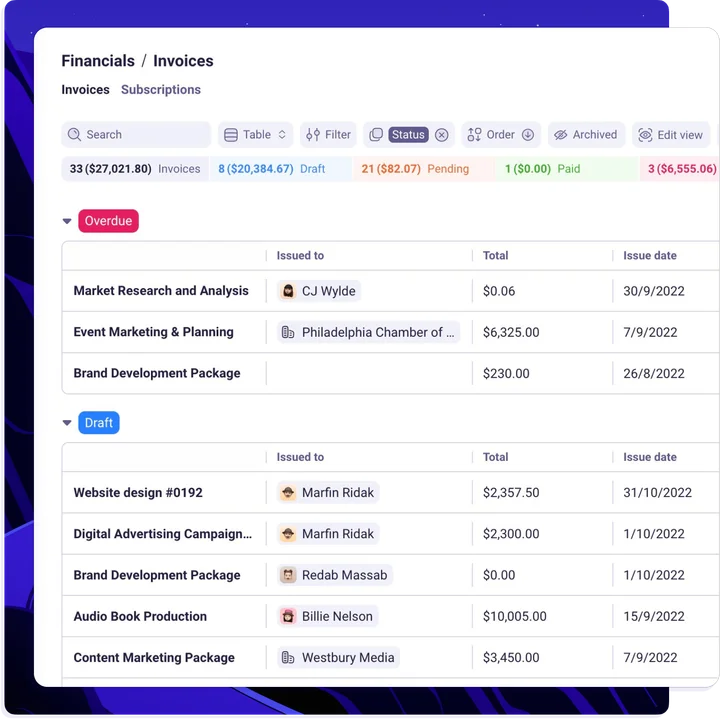
Plutio is packed with powerful features and tools to help you stay informed on the performance of your business and stay on top of things.
Real-time reporting
Keep track on the health of your business through real-time financial reporting.
Item templates
Build templates for all your items and offerings so you can easily add them to invoices.
Custom fields
Add more details to your invoices such as dates, links, checkboxes, referrals, and more.
Integrations
Use our API or connect with third party apps to sync data and automate your invoicing workflow.
Ready to get paid faster?
Plutio Invoicing comes with the Plutio Suite
No credit card required

More features
Take payment collection up a notch with these powerful tools
Plutio is designed to help you get paid on time, every time. Make it effortless for you to send and track invoices, and hassle free for your clients to pay from any device.
Instant notifications
Get notified when your invoices are viewed and when they're paid.
Offer discounts
Give your favorite customers the break they deserve with percent-off or fixed-amount discounts.
Flexible tax rates
Calculate taxes in any locality with powerful and flexible tax settings. Set defaults and override them as needed.
Multi-currency support
Bill in your company's default currency or choose a custom one per client or invoice.
Payment instalments
Simplify invoice-splitting by adding multiple payment dates on a schedule of your choosing.
Downloadable invoices
Easily send and download PDF version of invoices and receipts.
Frequently Asked Questions
What is an invoice?
An invoice is a document that a business sends to a customer detailing the goods or services they have provided, and the amounts that are due in payment.
Why Plutio invoicing is better?
Plutio invoices are a modern take on the age-old request for payment. Instead of using paper, they're fully digital and let your client pay online from any device.
How do I send an invoice?
Sending invoices with Plutio is easy. Simply create an invoice, add the items, assign it to a client and hit send. The invoice will then be sent to the client email and they can open it from any device.
Is an invoice a receipt?
No. While you and your client can see the status of the invoice before or after it's paid, they will be emailed a separate receipt upon payment.
How can I send a PayPal invoice?
Easy. Simply add PayPal as a payment method to your invoice before sending it to your client, so when the client receives your invoice they can easily pay using their PayPal account.
How many invoices can I send a month?
There's no limit to the number of invoices you can send, and we won't charge you more if your business grows and starts making more money.
Does Plutio work with my expense reporting software?
In addition to our built-in integrations with Stripe, Square, and PayPal, Plutio can integrate with almost any app using our best-in-class API.
Does Plutio come with invoice templates?
Yes! We have literally dozens of amazing invoice templates made from the vibrant Plutio community. Head to our template page to see them.
Why invoices are important?
It helps businesses comply with tax laws: In many countries, businesses are required to issue invoices for certain types of transactions and to keep records of their sales and revenue. Invoicing helps businesses meet these requirements and avoid penalties.
