TLDR (Summary)
Plutio ($19/month) is the strongest pick because the CRM ties contacts directly to proposals, projects, contracts, and invoices, so every client interaction feeds into one workspace instead of bouncing between a CRM, a billing tool, and a project tracker. HoneyBook focuses on client intake but has no project management or time tracking. HubSpot offers a free CRM but limits contacts to 1,000 and has no invoicing or proposals.
Below, 8 CRM tools compared on pipeline features, contact limits, invoicing ties, and which CRMs connect to the rest of the freelance workflow.
Essential features in a freelance CRM
A freelance CRM needs to do more than store contact information. The right CRM connects every client record to the work that follows: proposals, active projects, tracked time, and paid invoices.
Contact management and pipeline view
Freelancers track fewer contacts than sales teams but need richer records per client. A useful CRM attaches notes, files, and project history to each contact, so opening a client record shows every proposal sent, every project delivered, and every invoice paid. Pipeline views, explored further in the client management guide, help freelancers see which leads are in the inquiry stage, which have active projects, and which need follow-up.
Connection to billing and proposals
A CRM that stops at contact management leaves invoicing, proposals, and contracts in separate tools. Every manual transfer between apps, copying client details from the CRM into an invoice template, pasting project notes into a proposal, takes billable time and introduces errors. CRMs that feed directly into proposals and invoicing cut that transfer entirely.
Pricing model
Per-seat pricing charges for every user, including the freelancer and any contractors who need access. Per-contact pricing charges based on the number of records stored. Flat-rate pricing charges one price regardless of contacts or team size. For a freelancer managing 20-40 contacts, the difference between $14/user/month and $19/month flat is small, but add-ons and tier jumps widen that gap. A CRM's monthly cost matters less than what it replaces: separate invoicing, proposal, and project management subscriptions that stack up when the CRM can't handle those workflows on its own.
Freelancer fit versus enterprise design
Most CRMs target sales teams with features like lead scoring, marketing automation, and multi-stage pipeline hierarchies. Freelancers rarely need 15-stage pipelines or automated email drip campaigns. A CRM built around the freelance workflow handles contact records, deal tracking, and project handoff without weeks of configuration or features that go unused.
All-in-one freelance platforms with CRM
All-in-one platforms bundle CRM with invoicing, project management, and proposals, so the contact record connects to every stage of the client relationship. The starting price is higher than standalone CRMs because billing, contracts, and project tools come bundled alongside the contact database.
Plutio ($19/month)
Best for: freelancers who need CRM tied to proposals, projects, invoices, and contracts in one platform | Capterra: 4.6/5 | G2: 4.6/5
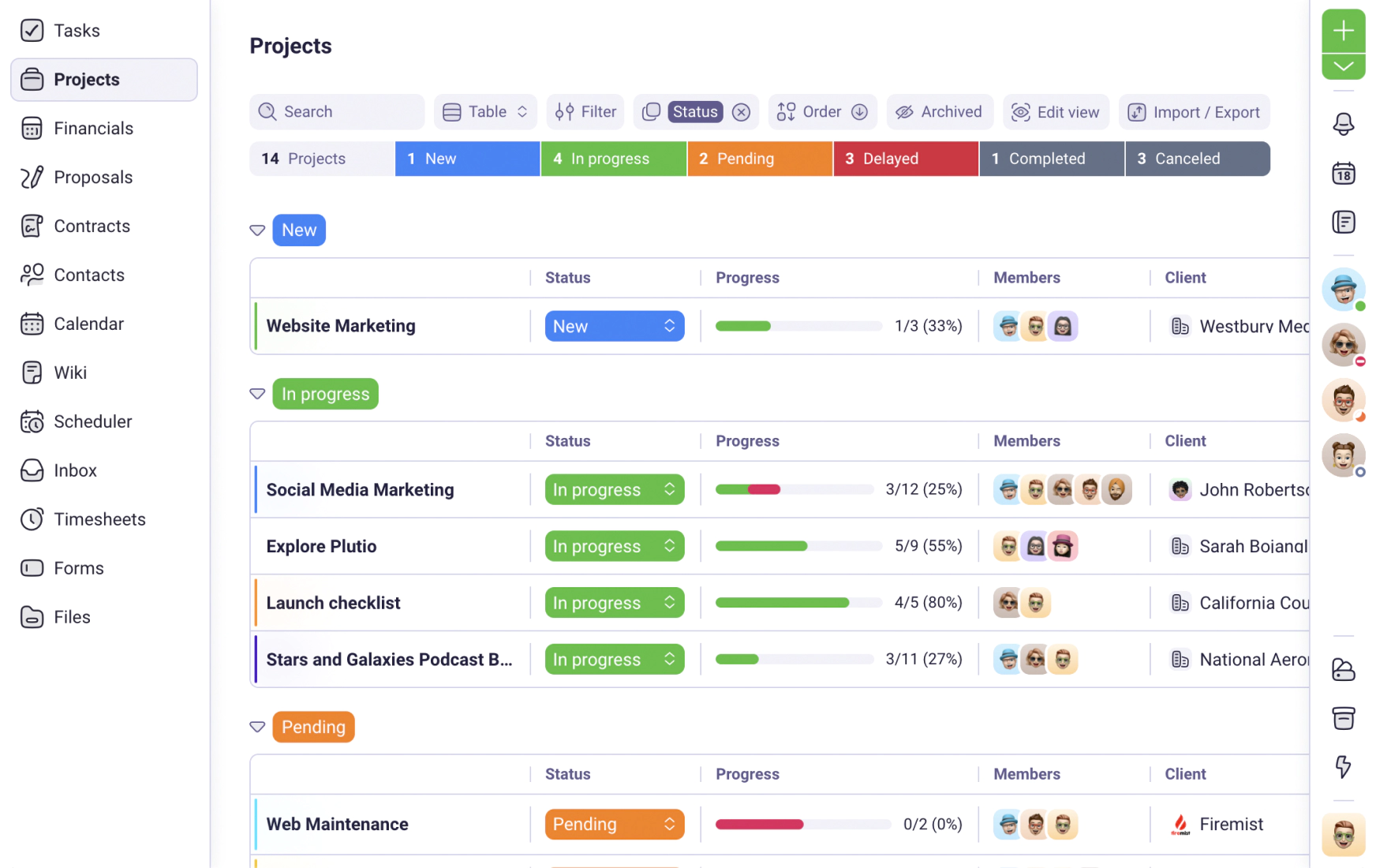
Plutio's CRM gives every contact a linked record that connects to proposals, projects, contracts, and invoices without switching tools. Custom fields, tags, and filters let freelancers organize contacts by project type, revenue, or relationship stage. Deal pipelines track leads from inquiry to signed contract, and once a deal closes, the project inherits the client data, so nothing gets re-entered. Flat pricing at $19/month means adding 10 clients or 100 contacts doesn't change the bill.
- CRM contacts link to proposals, projects, invoices, and contracts without switching tools
- Custom fields, tags, and filters for organizing contacts by any criteria
- Flat-rate pricing ($19/month Core, $49/month Pro) with no per-seat or per-contact fees
- Deal pipeline tracks leads from inquiry through signed contract to active project
- No free plan, 14-day trial gives full access to test the CRM
- Advanced reporting available on Pro ($49/month) and Max ($199/month) plans
HoneyBook ($16/month, annual billing)
Best for: creative freelancers who need client intake workflows with branded proposals | Capterra: 4.7/5 | G2: 4.5/5
HoneyBook's CRM focuses on client intake and booking. Smart Files combine proposals, contracts, and payment requests into a single client-facing document, so prospects sign and pay from one page. Contact records track inquiry source, booking status, and payment history. But project management, time tracking, and task boards are missing entirely, which the Plutio vs HoneyBook comparison covers alongside a recent price increase of up to 89% across all tiers. Automation requires the Essentials plan at $32/month (annual billing).
- Smart Files combine proposals, contracts, and invoices in one client view
- Contact records track inquiry source, booking status, and payment history
- Scheduling tools included on Essentials plan ($32/month)
- No project management or time tracking on any plan
- Automation requires Essentials plan ($32/month), not included on Starter
- Recent price increase of up to 89% across plans
Bonsai ($9/month, annual billing)
Best for: freelancers who need contracts and invoicing bundled with basic contact management | Capterra: 4.6/5 | G2: 4.3/5
Bonsai includes a contact list with client records, proposal tools, attorney-reviewed contract templates, and invoicing at $9/month (annual). The CRM layer is basic compared to dedicated pipeline tools: no drag-and-drop pipeline view, no deal stages, and limited filtering. Contact records store project and payment history but lack custom fields and tags for advanced segmentation. For freelancers who need contracts and invoicing first and CRM second, Bonsai covers the basics at the lowest entry price on this list, though the Plutio vs Bonsai comparison shows where the missing pipeline view creates friction as the client base grows.
- Attorney-reviewed contract templates ready to customize and send
- Contracts, proposals, and invoicing bundled at $9/month (annual)
- Contact records with project and payment history
- No pipeline view or deal stages for tracking leads
- Limited contact filtering and no custom fields
- Payment processing delays reported by multiple Capterra reviewers
Moxie ($12/month)
Best for: freelancers who want CRM with pipeline view and invoicing at a flat rate | Trustpilot: 4.8/5 (520 reviews)
Moxie (formerly Hectic) includes a CRM with a visual pipeline view on the Starter plan at $12/month. Contacts flow through customizable deal stages, and invoicing and proposals are included at every tier. The client portal requires the Pro plan at $25/month, and the Teams plan at $40/month caps at 5 members. Most user reviews live on Trustpilot and AppSumo rather than G2 or Capterra, a verification gap the Plutio vs Moxie comparison examines alongside pricing and feature differences.
- CRM with visual pipeline view included at $12/month
- Invoicing and proposals included at every tier
- Flat-rate pricing at every tier
- Client portal requires Pro plan ($25/month), not included on Starter
- Teams plan caps at 5 members
- Limited G2 and Capterra presence for review verification
All four platforms include invoicing alongside the CRM, but only Plutio carries a client from first inquiry through proposal, signed contract, active project, tracked time, and paid invoice in one workspace. HoneyBook handles client intake but drops off at project management and time tracking. Bonsai bundles contracts at $9/month but has no pipeline view. Moxie includes a pipeline at $12/month but locks the client portal behind a $25/month upgrade.
Dedicated CRM tools
Dedicated CRM tools offer deeper pipeline management and contact tracking but lack invoicing, proposals, and project management, so freelancers need separate tools to handle the work that follows a closed deal.
HubSpot CRM (Free / $20/user/month)
Best for: freelancers who want a free CRM for basic contact and deal tracking | Capterra: 4.5/5 | G2: 4.4/5
HubSpot's free CRM includes contact management, one deal pipeline, and basic task tracking for up to 2 users. The free tier dropped from 1 million contacts to 1,000 in 2024, and 10 custom properties limit how much freelancers can customize contact records. HubSpot branding appears on every form, email, and landing page until the Starter plan at $20/user/month. No invoicing, no proposals, no contracts, and no time tracking on any plan, so billing and project management need separate subscriptions.
- Free plan includes 1 pipeline, 1,000 contacts, and basic task management
- Contact timeline shows every email, call, and meeting in one view
- Starter plan ($20/user/month) removes branding and adds automation
- Free tier limited to 1,000 contacts and 10 custom properties
- No invoicing, proposals, contracts, or time tracking on any plan
- HubSpot branding on all forms and emails on the free plan
Pipedrive ($14/user/month, annual billing)
Best for: freelancers who want visual deal pipeline management without free-plan limitations | Capterra: 4.5/5 | G2: 4.3/5
Pipedrive's entire interface centers on a visual deal pipeline where contacts move through customizable stages via drag-and-drop. The Essential plan at $14/user/month includes contact management, deal tracking, and email integration. But add-ons stack up: LeadBooster costs $32.50/month, Campaigns adds $16/month, and Smart Docs for proposals requires the Professional plan at $49/user/month. Pipedrive has no free tier, and billing, contracts, and time tracking are absent on every plan, so freelancers still need 2-3 other subscriptions to cover what the pipeline tool doesn't.
- Visual drag-and-drop pipeline with customizable deal stages
- Email integration tracks conversations directly on contact records
- Essential plan ($14/user/month) includes contact management and deal tracking
- No free plan available
- No invoicing, contracts, or time tracking on any plan
- Add-ons (LeadBooster $32.50/month, Campaigns $16/month) increase cost quickly
Streak (~$50/user/month)
Best for: freelancers who live in Gmail and want pipeline management inside the inbox | Capterra: 4.5/5 | G2: 4.5/5
Streak runs inside Gmail as a browser extension, turning the inbox into a CRM with pipeline views, contact management, and mail merge. Every email thread links to a deal record, so pipeline updates happen without leaving the inbox. But Streak removed its free plan, and the Pro plan at roughly $50/user/month makes it the most expensive per-user option on this list. Invoicing, proposals, and contracts are absent across all plans, and Gmail-only access means freelancers on Outlook or other email clients cannot use the tool at all.
- Runs inside Gmail with no separate app to manage
- Pipeline views, mail merge, and email tracking built into the inbox
- Every email thread links automatically to the associated deal record
- No free plan (removed in recent update)
- ~$50/user/month, most expensive per-user option on this list
- No invoicing, proposals, or contracts on any plan
Zoho CRM (Free / $14/user/month)
Best for: freelancers who want a free CRM with room to grow into the Zoho ecosystem | Capterra: 4.3/5 | G2: 4.1/5
Zoho's free CRM includes basic contact and deal management for up to 3 users. The Standard plan at $14/user/month adds workflow automation, scoring rules, and custom dashboards. Zoho sits inside a broader ecosystem where Books handles accounting, Invoice handles billing, and Projects handles task management, but each app requires a separate subscription and setup. The interface reflects enterprise design patterns with nested menus and configuration screens that take weeks to navigate for freelancers who want a working CRM on day one.
- Free plan includes 3 users with basic contact and deal management
- Standard plan ($14/user/month) adds workflow automation and scoring
- Part of the Zoho ecosystem with 40+ connected apps available
- Each Zoho app (Books, Invoice, Projects) requires a separate subscription
- Enterprise-oriented interface with weeks of configuration for basic setup
- Lowest review scores on this list (Capterra 4.3/5, G2 4.1/5)
Dedicated CRM tools cover pipeline management and contact tracking, but none of them include invoicing, proposals, or contracts. A freelancer using HubSpot's free CRM still needs a billing tool ($10-20/month), a proposal tool ($10-15/month), and a project tracker ($10-15/month), which pushes total monthly costs past $40 before the CRM itself charges a dollar.
Feature comparison at a glance
All 8 CRM tools compared on pricing, pipeline features, invoicing, project management, and what connects to the contact record.
| Tool | Price (solo) | Pipeline | Invoicing | Proposals | Contact limit |
|---|---|---|---|---|---|
| Plutio | $19/mo flat | Custom deal stages | Included | Included | Unlimited |
| HoneyBook | $16/mo (annual) | Booking pipeline | Included | Smart Files | Unlimited |
| Bonsai | $9/mo (annual) | No pipeline view | Included | Included | Unlimited |
| Moxie | $12/mo | Visual pipeline | Included | Included | Unlimited |
| HubSpot | Free / $20/user/mo | 1 pipeline (free) | No | No | 1,000 (free) |
| Pipedrive | $14/user/mo | Visual pipeline | No | $49/user/mo plan | Unlimited |
| Streak | ~$50/user/mo | Gmail pipeline | No | No | Unlimited |
| Zoho CRM | Free / $14/user/mo | Custom pipeline | Separate app | Separate app | 5,000 (free) |
Plutio is the only CRM on this list where contacts, deal pipelines, proposals, contracts, project management, time tracking, and invoicing all live in one workspace at $19/month flat. Every other tool either skips invoicing entirely (HubSpot, Pipedrive, Streak), charges per user (Pipedrive, Streak, Zoho), or gates features behind higher tiers (HoneyBook, Moxie).
Picking the right CRM for freelancers
The right CRM depends less on the contact database itself and more on what needs to happen after a lead becomes a client. A standalone CRM covers tracking and pipeline management but leaves invoicing, proposals, and project delivery to other tools.
If billing and projects need to live alongside the CRM
Plutio bundles CRM with invoicing, proposals, contracts, and project management at $19/month flat, a breakdown the Plutio vs Moxie comparison covers side by side. Moxie includes CRM and invoicing at $12/month but locks the client portal behind the $25/month Pro tier. Both charge flat rates, so adding contacts doesn't increase the monthly bill.
If client intake and booking drive the workflow
HoneyBook focuses on converting inquiries into signed contracts and collected payments through Smart Files. Contact records tie to the booking flow, so every proposal, contract, and payment stays linked. But once the contract is signed, there are no project boards, no time tracking, and no task management to handle the delivery side of the relationship.
If budget is the main constraint
HubSpot's free CRM works for basic contact tracking and one pipeline at no cost, but 1,000 contacts and 10 custom properties create a ceiling quickly. Zoho's free tier gives 3 users with basic deal management. Bonsai starts at $9/month (annual) with contacts, contracts, and invoicing included, a combination the freelance invoicing guide puts in context across billing tools.
If Gmail is the primary workspace
Streak turns Gmail into a CRM without a separate app, so pipeline updates happen inside the inbox. But at roughly $50/user/month with no free plan, no invoicing, and no proposal tools, Streak costs more than most all-in-one platforms while covering less of the workflow. Freelancers who want Gmail integration without the price tag can connect Plutio or HubSpot through native email syncing instead.
Freelancers who need the CRM to handle more than contact storage, who want leads turning into proposals, proposals converting to projects, and delivered work becoming paid invoices, get the most value from all-in-one platforms where contact data feeds into every stage of the business.
Common CRM mistakes freelancers make
The most common CRM mistake is picking a tool built for sales teams and trying to make it work for freelance client management. Sales CRMs optimize for lead volume and pipeline velocity, not for tracking 20 ongoing client relationships across projects, invoices, and contracts.
Choosing a CRM that stops at contact storage
A CRM that stores contacts but doesn't connect to invoicing or project management creates a data island. Client details sit in the CRM while proposals go through one tool, invoices through another, and project updates through a third. The spreadsheet CRM article tracks how every manual copy-paste of a client's billing address from the CRM into an invoice template represents work the CRM should have handled.
Paying per seat when working solo
Per-seat pricing makes sense for 50-person sales teams. For a solo freelancer, $14/user/month for Pipedrive or $50/user/month for Streak buys a contact database without invoicing, proposals, or project management. A flat-rate tool like Plutio at $19/month includes CRM alongside every other workflow tool, which often costs less than stacking a per-seat CRM with separate billing and project apps.
Overbuilding the pipeline before testing it
Zoho CRM and HubSpot offer extensive pipeline customization, but spending weeks configuring 12-stage pipelines, lead scoring rules, and automation sequences before a single lead enters the pipeline is risky. Most freelancers need 3-5 deal stages: inquiry, proposal sent, contract signed, project active, and complete. Starting with those stages and adding complexity based on real workflow patterns prevents building a CRM that no one uses.
Ignoring what happens after the deal closes
Dedicated CRMs track leads through the pipeline, but once the contract is signed, the CRM's job is done. The project still needs task management, time tracking, deliverable handoff, and billing. A CRM that connects to the full workflow, where a closed deal automatically creates a project with the client's details, scope, and billing terms already attached, removes the handoff gap between winning the work and starting the work.