TLDR (Summary)
Plutio ($19/month) is the strongest pick because projects link to proposals, time tracking, invoicing, contracts, and a client portal, so a project moves from scope to paid invoice without switching tools. Asana offers a free plan for task management but charges per seat with a 2-user minimum on paid tiers, and has no invoicing or billing tools. ClickUp packs the most PM features on its free plan but has a steep learning curve and no way to send invoices or proposals.
Below, 8 tools compared on task boards, Gantt charts, time tracking, billing integration, and whether the PM tool connects to the rest of the freelance workflow or handles tasks alone.
Essential features in freelance project management software
A freelance project management tool needs to do more than organize tasks. The right PM tool gives freelancers a workspace where projects connect to billing, client communication, and time tracking, so finishing work and getting paid happen in the same place.
Task views: boards, lists, and Gantt charts
Kanban boards show work in progress at a glance, which suits freelancers juggling 3-5 client projects. List views work for sequential tasks like onboarding checklists. Gantt charts and task dependencies matter when project timelines overlap and one deliverable blocks the next. Not every freelancer needs Gantt charts, but freelancers managing multi-phase projects (web builds, brand identities, marketing campaigns) benefit from seeing which tasks block others, as the project management guide explains.
Time tracking that feeds into billing
Tracking time inside the project tool means logged hours already know which project and client they belong to. When time entries flow into invoice line items, the freelancer skips the manual step of exporting hours, matching them to clients, and typing amounts into a separate billing app. PM tools without built-in time tracking push that step to a third-party integration or a spreadsheet.
What connects to invoicing and proposals
A PM tool that handles tasks but not billing creates a gap: the project finishes, and then the freelancer opens a separate app to write the invoice, cross-reference hours, and send it manually. Tools that connect proposals to projects and logged time to invoices close that gap, so the data flows from scope to delivery to payment without re-entering it.
Pricing model: per-seat vs flat rate
Per-seat pricing charges for every user who logs in, including the freelancer, collaborators, and clients. A freelancer working solo on a tool with a 2-seat or 3-seat minimum pays for an empty chair. Flat-rate pricing charges one monthly fee regardless of how many clients or collaborators access the workspace. The monthly price of a PM tool matters less than what happens after the project wraps: does the tool also handle the invoice, or does the freelancer open another app to get paid?
All-in-one freelance platforms with project management
All-in-one platforms bundle project management with invoicing, proposals, contracts, and time tracking, so everything from scope to payment runs through one workspace. The monthly cost is higher than free task boards, but the total cost of ownership drops when billing, contracts, and client portals are already included.
Plutio ($19/month)
Best for: freelancers who need projects connected to proposals, time tracking, invoicing, and a client portal | Capterra: 4.6/5 | G2: 4.6/5
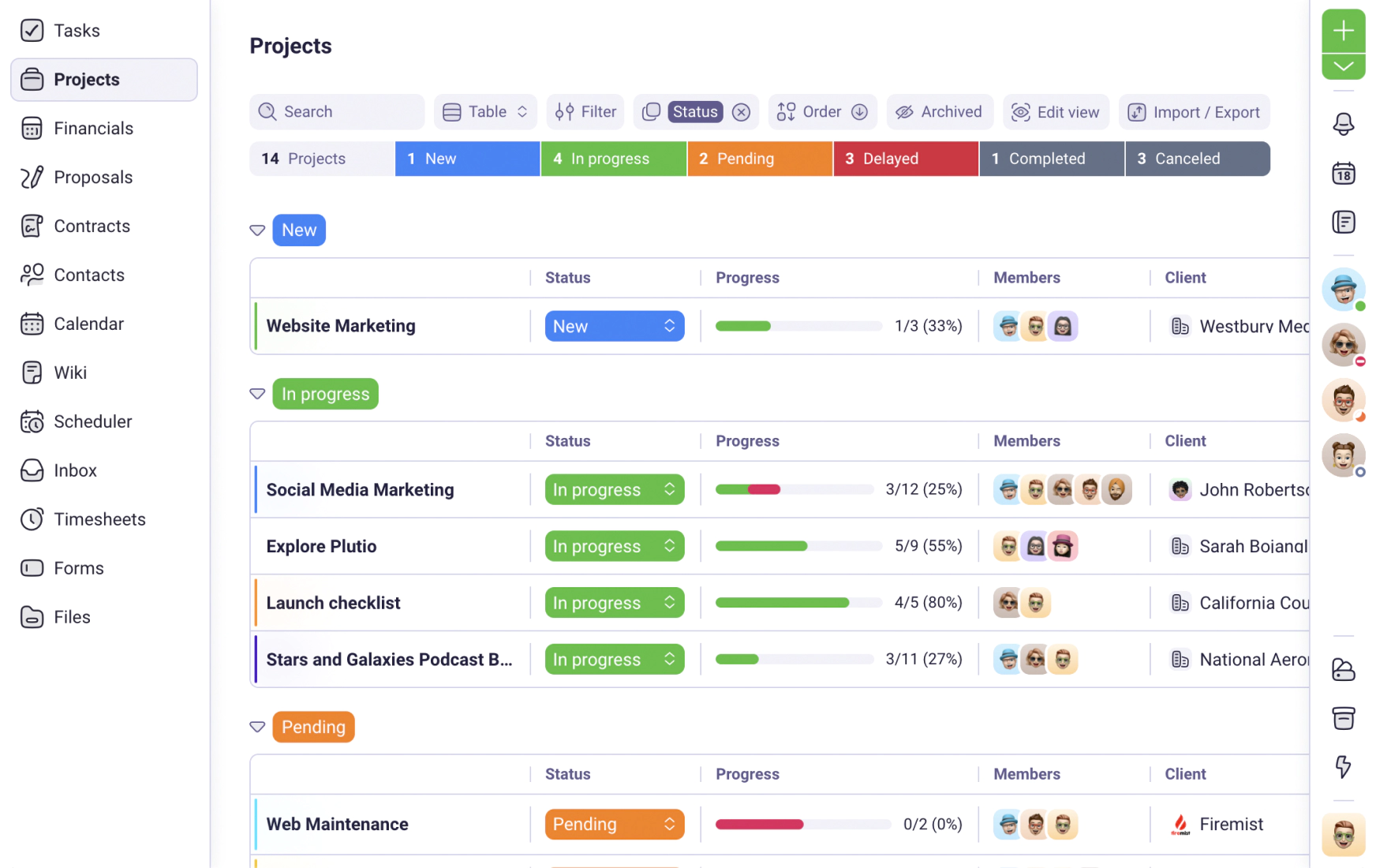
Plutio's project management includes kanban boards, Gantt charts, task dependencies, milestones, and reusable project templates. Each project links to the original proposal, so the scope stays attached from agreement through delivery. Time tracking runs inside each task, and logged hours populate invoice line items with one click. Contracts stay linked to the project they belong to, and clients get a portal login to follow progress, download files, and settle invoices without emailing for updates. Flat pricing at $19/month, covered further in the project management tools guide, means adding clients or collaborators doesn't change the bill.
- Projects link to proposals, contracts, time tracking, and invoicing in one workspace
- Kanban boards, Gantt charts, task dependencies, and milestones included
- Flat-rate pricing ($19/month Core, $49/month Pro) with no per-seat fees
- Client portal where clients track project progress and settle bills
- No free plan, 14-day trial gives full access to test every feature
- Subtasks are single-level checklists, not nested sub-projects
HoneyBook ($16/month, annual billing)
Best for: creative freelancers who need client intake and branded document workflows | Capterra: 4.7/5 (390 reviews) | G2: 4.5/5
HoneyBook handles client intake, proposals, contracts, and payments through Smart Files that combine multiple documents into a single client-facing page. No task boards, no Gantt charts, no dependencies, and no way to track deliverables across project phases. Time tracking is absent on every plan. The Starter tier at $16/month (annual) handles booking and payments, but automation triggers require Essentials at $32/month. A recent price increase of up to 89% raised costs across all tiers. Project management is missing entirely, and the Plutio vs HoneyBook comparison breaks down what that gap costs over a full project cycle.
- Smart Files combine proposals, contracts, and payment requests in one client view
- Scheduling tools included on Essentials plan ($32/month)
- Available at every tier including Starter ($16/month, annual)
- No task boards, Gantt charts, or task dependencies on any plan
- No time tracking on any tier
- Automation locked behind Essentials at $32/month (annual billing)
Bonsai ($9/month, annual billing)
Best for: freelancers who need attorney-reviewed contracts with basic task management | Capterra: 4.6/5 | G2: 4.3/5
Bonsai bundles attorney-reviewed contract templates, proposals, invoicing, and basic task management at $9/month (annual). Tasks live inside each project as a checklist, and time tracking runs alongside them. The main draw is the legal document library: contracts that freelancers customize and send within minutes. But the PM layer stays basic, with no Gantt charts, no dependencies, and no visual timeline for overlapping projects. Per-member pricing on team plans adds cost when collaborators join, which the Plutio vs Bonsai comparison examines alongside the PM limitations.
- Attorney-reviewed contract templates ready to customize and send
- Contracts, proposals, invoicing, and time tracking bundled at $9/month (annual)
- Basic task management inside each project
- No Gantt charts, dependencies, or visual timelines
- Per-member pricing on team plans adds cost for collaborators
- Payment processing delays reported by multiple Capterra reviewers
Moxie ($12/month)
Best for: freelancers who want CRM and invoicing first, with project tracking as a secondary feature | Trustpilot: 4.8/5 (520 reviews)
Moxie (formerly Hectic) includes CRM, invoicing, and proposals on the Starter plan at $12/month. Project tracking runs as task lists inside each client record, with time tracking included. The client portal unlocks at the Pro tier ($25/month), where clients follow progress and download files under the freelancer's brand. Flat-rate pricing at every tier keeps costs predictable. But the PM layer stays lightweight with no boards, no Gantt view, and no dependencies. Most user reviews live on Trustpilot and AppSumo rather than G2 or Capterra, and the Plutio vs Moxie comparison explores those review gaps alongside the missing PM depth.
- CRM, invoicing, and proposals included at $12/month
- Time tracking included at every tier
- Flat-rate pricing with no per-seat fees
- No kanban boards, Gantt charts, or task dependencies
- Client portal requires Pro plan ($25/month)
- Limited G2 and Capterra presence for review verification
All four platforms include billing alongside project management, but only Plutio carries a project from proposal through tracked hours to a paid invoice with a client portal attached. HoneyBook focuses on client intake documents but drops off at task management and time tracking. Bonsai bundles contracts at $9/month but limits the PM layer to basic checklists. Moxie handles CRM and invoicing but locks the client portal behind a higher tier.
Dedicated project management tools
Dedicated PM tools offer deeper task management, boards, timelines, and collaboration features, but none include invoicing, proposals, or contracts. Freelancers using these tools need separate apps for billing, which means maintaining two or more subscriptions and manually bridging the gap between "project done" and "invoice sent."
Asana (Free / $10.99/user/month, annual)
Best for: freelancers who need free task management with boards and calendar views | Capterra: 4.5/5 | G2: 4.4/5
Asana's free plan includes unlimited tasks and projects for up to 10 users, with list, board, and calendar views. Paid plans add timeline (Gantt), dependencies, milestones, and goals, but require a 2-seat minimum at $10.99/user/month (annual), so a solo freelancer pays $21.98/month for features meant for a second team member. Time tracking only appears on the Advanced plan at $24.99/user/month. No invoicing, no proposals, and no contracts on any tier, so billing requires a separate tool entirely, a limitation the Plutio vs Asana comparison and Asana alternatives page detail alongside pricing.
- Free plan with unlimited tasks, projects, and up to 10 users
- List, board, and calendar views on the free tier
- Timeline, dependencies, and milestones on paid plans
- 2-seat minimum on paid plans ($21.98/month minimum for solo freelancers)
- No invoicing, proposals, or contract management on any plan
- Time tracking only on Advanced at $24.99/user/month
Trello (Free / $5/user/month)
Best for: freelancers who want a visual kanban board with minimal setup | Capterra: 4.5/5 | G2: 4.4/5
Trello gives freelancers unlimited cards and up to 10 boards on the free tier, with a kanban-first interface. Drag-and-drop cards across columns makes task tracking visual and fast. The Standard plan at $5/user/month adds 1,000 boards and unlimited Power-Ups for integrations. But Trello stays in its lane: no Gantt charts, no built-in time tracking, and billing and proposals sit outside the tool entirely. Every billing and contract step lives outside the tool, which the Plutio vs Trello comparison and Trello alternatives page break down in full.
- Free plan with unlimited cards and up to 10 boards
- Kanban-first interface with drag-and-drop cards
- Standard plan at $5/user/month adds Power-Ups and 1,000 boards
- No Gantt charts or task dependencies on any plan
- No time tracking, invoicing, or proposals built in
- 1 Power-Up per board on the free plan limits integrations
ClickUp (Free / $7/user/month)
Best for: freelancers who want the most PM features on a free plan and don't mind complexity | Capterra: 4.6/5 | G2: 4.7/5
On ClickUp's free tier, freelancers get unlimited tasks, docs, whiteboards, and basic time tracking with 60MB of storage and 5 Spaces. Paid plans at $7/user/month add goals, sprints, custom fields, and larger storage. The feature list covers more categories than the other PM tools on this list, including docs, whiteboards, goals, and native time tracking. But the interface reflects that breadth: multiple reviewers on Capterra describe a steep learning curve and weeks of configuration before the workspace runs smoothly. Everything on the billing and contract side needs a separate app, so billing runs through a separate subscription.
- Free plan with unlimited tasks, docs, whiteboards, and basic time tracking
- Most feature-dense PM tool: goals, sprints, custom fields, and docs
- Paid plan at $7/user/month adds larger storage and additional views
- Steep learning curve with weeks of configuration based on Capterra reviews
- No invoicing, proposals, or contract management on any plan
- 60MB storage on the free plan fills quickly with file attachments
monday.com (Free / $9/user/month, annual)
Best for: freelancers who need visual boards with automations and plan to grow into a team | Capterra: 4.6/5 | G2: 4.7/5
monday.com's free plan covers up to 2 users with basic boards and limited features. Paid plans start at $9/user/month (annual) with a 3-seat minimum, so the actual entry price is $27/month for a solo freelancer paying for two empty seats. Visual boards, automations, and a large integration library target teams of 5+, but the 3-seat floor and missing billing features make it expensive for freelancers working alone. No built-in billing, proposals, or contract tools, and no time tracking on the Basic plan, which the Plutio vs monday.com comparison and monday.com alternatives page break down.
- Visual boards with automations and a wide integration library
- Free plan available for up to 2 users
- Large library of templates and third-party integrations
- 3-seat minimum on paid plans ($27/month minimum for Basic)
- No invoicing, proposals, or contract management
- No time tracking on Basic, requires Standard at $12/user/month
Dedicated PM tools cover task management, but every billing step lives outside the tool. A freelancer using Asana's free plan still needs a separate invoicing app ($10-20/month), a time tracker ($5-15/month), and a contract tool ($9-15/month), so the "free" PM tool quietly costs $25-50/month in supporting subscriptions.
Feature comparison at a glance
All 8 tools compared on pricing, task views, time tracking, invoicing, and whether the tool charges per seat or a flat monthly rate.
| Tool | Price (solo) | Kanban | Gantt | Time tracking | Invoicing | Per-seat? |
|---|---|---|---|---|---|---|
| Plutio | $19/mo flat | Yes | Yes | Built in | Built in | No |
| HoneyBook | $16/mo (annual) | No | No | No | Built in | No |
| Bonsai | $9/mo (annual) | No | No | Built in | Built in | Team plans only |
| Moxie | $12/mo | No | No | Built in | Built in | No |
| Asana | Free / $21.98 min | Yes | Paid only | Advanced only | No | Yes (2-seat min) |
| Trello | Free / $5/user | Yes | No | No | No | Yes |
| ClickUp | Free / $7/user | Yes | Yes | Built in | No | Yes |
| monday.com | Free / $27 min | Yes | Paid only | Standard+ | No | Yes (3-seat min) |
Plutio is the only tool on this list that includes kanban boards, Gantt charts, time tracking, invoicing, proposals, contracts, and a client portal at a flat $19/month. ClickUp matches on PM depth but requires separate tools for billing. Asana and monday.com charge freelancers for empty seats on paid plans. HoneyBook handles billing but has no project management features at all.
Picking the right freelance PM software
The right project management tool depends less on the task board and more on what needs to happen after the task is done. A PM tool that handles delivery but not billing creates a gap between finished work and collected payment.
If the full workflow needs to live in one place
Plutio connects proposals to projects, tracks time inside tasks, turns logged hours into invoices, and gives clients a portal to follow progress. The entire workflow, from scope to payment, runs through one login at $19/month flat. For freelancers managing multiple projects across different clients, keeping proposals, timesheets, and invoices together reduces the gap between finishing work and getting paid.
If budget is the main constraint
Asana and Trello both offer free plans that cover task tracking. ClickUp's free tier packs the most features of any free PM tool. But none of them include invoicing, so the total cost includes a separate billing app ($10-20/month), and the manual work of matching completed tasks to billable entries on the invoice. Bonsai starts at $9/month (annual) with contracts and invoicing included, which often costs less than stacking a free PM tool with separate billing.
If task management depth matters most
ClickUp includes more PM feature categories than the other tools on this list: docs, whiteboards, goals, sprints, custom fields, and native time tracking. Asana adds timeline views, dependencies, and milestones on paid plans. monday.com includes automations and a library of board templates. All three handle task management for larger teams, but each charges per user and none generate invoices, so freelancers using them need a separate billing workflow.
If getting started quickly matters
Trello's kanban boards take minutes to set up, with a drag-and-drop interface and no configuration. Bonsai bundles PM with contracts and invoicing at $9/month. Moxie includes CRM and invoicing at $12/month. ClickUp and monday.com offer more features but require hours of setup before the workspace matches a specific workflow.
Freelancers who need a task board and nothing else can start with Trello or Asana's free plans. Freelancers who need projects tied to billing, time tracking, and client delivery get the most value from a platform where proposals, hours, and invoices flow through the same workspace.
Common PM mistakes freelancers make
The most expensive project management mistake is choosing a tool built for teams and paying for features designed around sprint planning and department workflows that a freelancer never uses.
Paying for seat minimums on team-first tools
monday.com requires a 3-seat minimum on paid plans at $27/month for a single freelancer, and Asana requires 2 seats at $21.98/month, so both tools charge for empty chairs that never log in. Flat-rate tools like Plutio ($19/month) and Moxie ($12/month) charge the same price whether one person uses the workspace or ten.
Choosing a PM tool that doesn't connect to billing
Asana, Trello, ClickUp, and monday.com handle tasks well, but none of them generate an invoice. A freelancer finishing a project in Asana still opens a separate app to write the invoice, manually enters the hours, and sends the bill through a different login. The time between "project done" and "invoice sent" is where revenue leaks: delayed invoices get delayed payments. Tools that route hours into invoices remove that manual step, which the freelance invoicing guide covers alongside a breakdown of billing platforms.
Over-configuring before doing real work
ClickUp and monday.com offer hundreds of configuration options: custom fields, automations, board templates, views, and integrations. Spending a week building the workspace before a single project runs through it is common. Starting with a PM setup that covers the basics (tasks, time tracking, invoicing) and adding complexity based on what actual projects need prevents building a system no one uses.